Getting great results 
What is Truffle Hound best for?
Finding very specific companies and the decision makers inside them, or very specific people you can find on LinkedIn by role, location, company or what's in their headline. It isn't built for broad networking or vague searches. The more specific you are, the better your leads.
How specific should I be?
Very. Say the sector, location, company size and the exact roles you want. "Purchasing decision makers at independent UK pet retailers" works. "People in the pet industry" doesn't.
What if who I'm after isn't really a company?
Search for the people instead. Don't ask for "university incubators". Ask for "people at UK universities with startup incubator or enterprise manager in their headline".
Can I give it my own lists?
Yes, and you should. If you know a good directory or list (award winners, recently funded startups, Product Hunt launches), open it in Chrome and click "Add to source" in the sidebar before you start. Big lists of hundreds or thousands go in as a source. Short lists of under 50 can be pasted straight into your chat.
Should I check what it's searching for?
Yes. Look at the search terms your AI picks before you approve them. If they look wrong, say so and it'll change them.
Can I run more than one campaign at once?
Yes, but use a separate chat for each one. Mixing campaigns in one chat gets confusing.
What if a search isn't finding good leads?
If fewer than 1 in 10 companies from a source qualify, the hound will tell you. Change the source or tighten your brief rather than pushing on.
How many invites should I send?
You choose. The default is 20 to 25 a day. We recommend around 150 a week at most, depending on how active you are on LinkedIn and how many days a week you send. If you're very active you can go a little higher, but err on the side of caution. You press send on every one, so nothing goes out on autopilot.
What does a good first prompt look like?
Three that work well:
- "Find purchasing decision makers at independent UK pet retailers. Max 2 people per company."
- "Find founders of B2B SaaS startups that launched on Product Hunt in the last 3 months."
- "Find editors and assistant editors at small and mid-sized UK book publishers."
About Truffle Hound
Will this get my LinkedIn account restricted?
The risky tools are the ones that send on autopilot, all day, from servers you don't control. Truffle Hound doesn't. You press send on every connection, from your own browser, and you set your own daily limit. It looks like you because it is you.
Where do the leads come from?
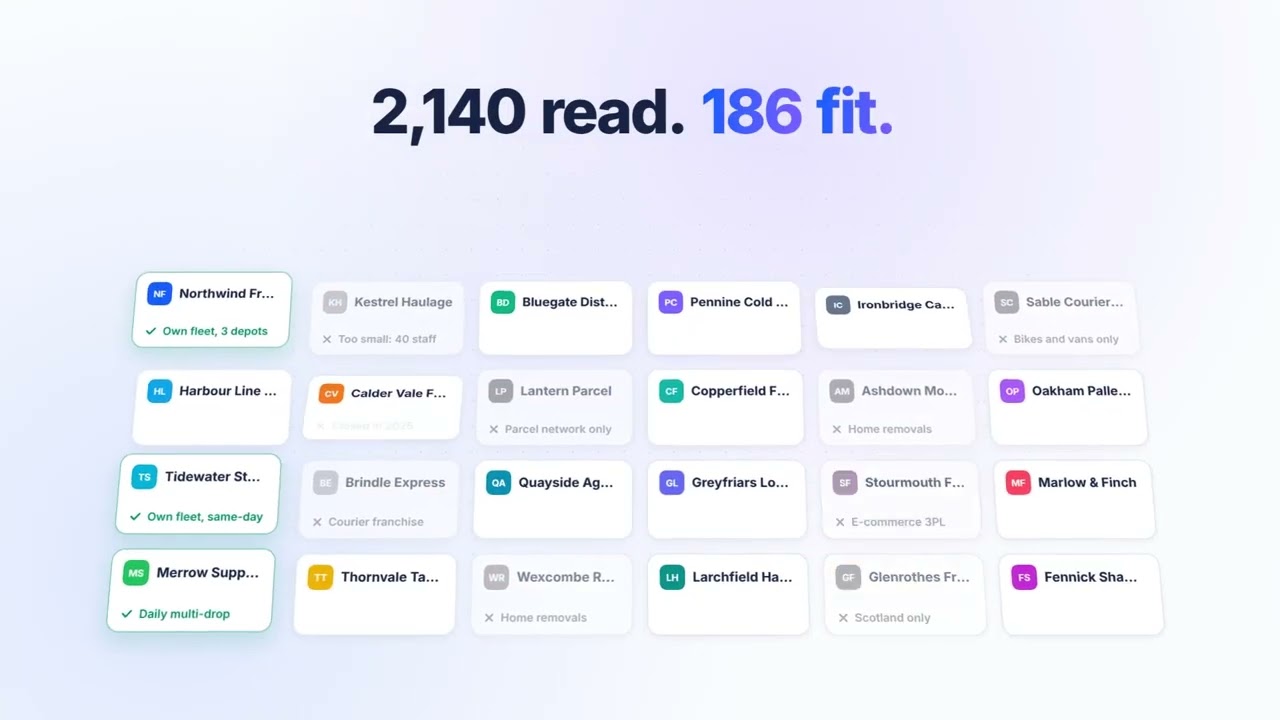
Wherever your best customers are listed. The hound finds specialist sources, like trade associations, industry directories and award lists, as well as Google and LinkedIn searches. It reads each company's website to check the fit, then finds the right people on LinkedIn. It doesn't sell you a database.
Can I search by company as well as by person?
Yes. Search for companies first, by sector, size or location, and the hound finds the right person inside each one. Or search for people directly, by role, seniority or what they post about.
What does the sniff score actually measure?
How well the company and the person fit what you asked for, whether they're in a position to say yes, any signs they need you now, and how easy they are to reach. It adds up to 100, and every score comes with the reasons in plain words. Around 70 and above counts as qualified.
Is it only LinkedIn?
Yes. It's built for LinkedIn.
What does it cost?
We're in beta and haven't set a price yet. Early access users help us set it.
 Truffle Hound